



4.6 The info page
BSCW generates and maintains a lot of descriptive information on its objects (folders, discussions, documents, users, groups etc.). Some of the items may be edited by a user who has the necessary access rights, others are automatically generated and updated by BSCW. While a few items, e.g. type and name of an object or the user name of its owner, are displayed in various contexts in the Web-based user interface, it is the info page of an object that brings together all the information that BSCW maintains about the object.
- Select
 or click the
 icon to the left of an object’s type icon to display the
info page of the object.
icon to the left of an object’s type icon to display the
info page of the object.
The info page supplies some technical information about an object, shows the history of versioned documents and the current access rights. The contents of the info page may vary depending on the object type.
- Document:
The info page shows the last modification and all user-defined attributes that have a value assigned. An access rights table shows which users may carry out which actions on the object. - User:
Besides user name and email address the info page may contain further information like a telephone number or a photograph (see 2.4). - Document under version control:
This info page additionally shows the version history as a table (see 4.8). By clicking the version number you may download a specific version to your local system.
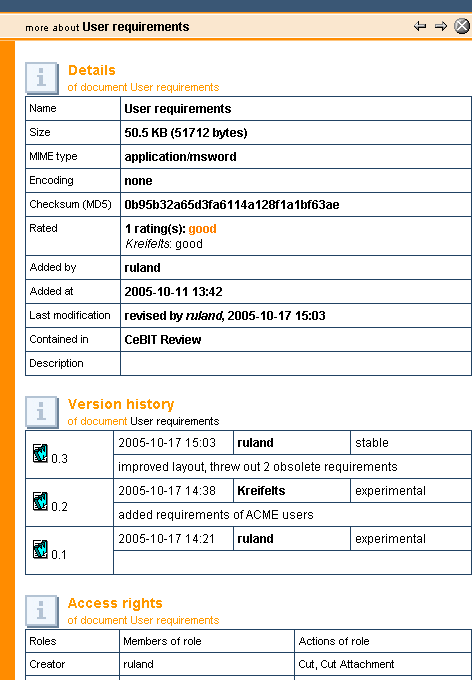
Figure 4.6-1: Info page showing version history
