



4.2.2 Using upload helpers
There are three BSCW upload helpers that you may want to activate and use:
- Drag & drop uploader,
- JUploader applet and
- JUploader program.
The drag & drop uploader and the JUploader program need prior activation via your user preferences (also cf. section 9.4, especially for installation of the JUploader program).
Drag & drop uploader
If you use a Java-compliant browser, you may subscribe to a BSCW extension that enables you to upload files by ‘drag & drop’ (not available for all platforms and browsers). A specific icon will be placed prominently in the headers of your folder pages. Just drop a file onto this icon to upload it to the current folder. The extension also uploads groups of files — a feature not provided by the standard file upload function of today’s browsers.
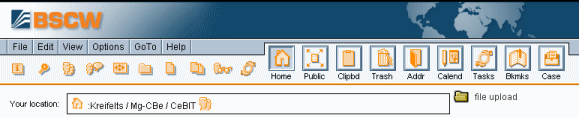
Figure 4.2-1: BSCW header with internal uploader installed
If you intend to use the drag & drop uploader,
- make sure that your Web browser supports Java (via Java Plug-in) and that this functionality is indeed activated;
- click in your top menu bar;
- mark the check box ‘Use drag&drop uploader for file upload’ and confirm with [OK].
JUploader applet
Another upload helper, the JUploader applet, is available
via
in the top menu
if all requirements are met (Java-compliant browser and platform).
Alternatively, you may start the JUploader applet by clicking the
 icon in the action shortcut bar.
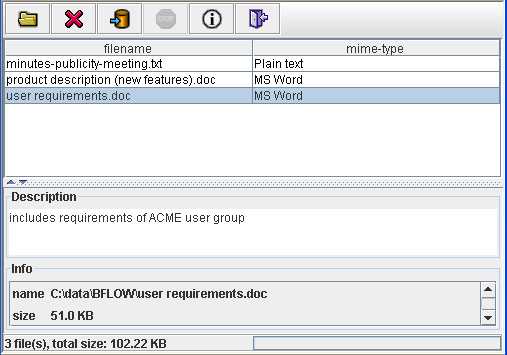
Figure 4.2-2: JUploader applet
The JUploader applet opens in a new browser window and allows upload
of multiple files into the currently selected folder. Files may be added
to the selection by ‘drag & drop’ or by using the
 file selection dialog. You may change the name of each file, add
a description or change the document type (MIME type). Click the
file selection dialog. You may change the name of each file, add
a description or change the document type (MIME type). Click the
 icon to start the file upload process.
JUploader program
For users who wish to upload large numbers of documents at a time, the JUploader is a very effective tool. The JUploader program is a local application that must first be installed on your computer.
If you plan to use the JUploader program proceed as follows:
- Read the instructions in section 9.4 and on the BSCW download page http://bscw.fit.fraunhofer.de/Download.html.
- Make sure that the latest JUploader program that is suitable for your local computer platform is installed and that your Web browser is configured correctly.
- Select from the top menu bar.
- Activate the option ‘Use JUploader program for file upload’ and confirm with [OK].
- Attention:
- There are quite a number of BSCW helper programs for file upload around that were used with former BSCW versions. With the current BSCW version only the latest Java upload helper BSCW JUploader 4.0 is supported (see 9.4). The use of older helper programs is discouraged.
