Part 4 - Menus and Confirmations
The main subject matter of this part is constructing menus. Getting confirmations from the user is covered, too.
Figures 4-1 - 4-5. should give you an idea of the menu that you'll have to implement. Functionality is needed only on items Exit and Change Product Info. These should have the same functionality as the equivalent buttons. There is a way to avoid writing separate event handling for buttons and menus. Hopefully you can figure it out.
Implement an exit confirmation as shown in the figure 4-6.
Grading
Ceilidh will look especially following topics- Menus are just like in the example figures
- Functionality of the menus
- Exit confirmation
Get information on these
- JMenuBar, JMenu, JMenuItem
- JOptionPane
- Dispatching an event could prove to be handy for some implementations of exiting...
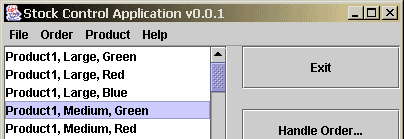
Figure 4-1. Main window with a menu bar.
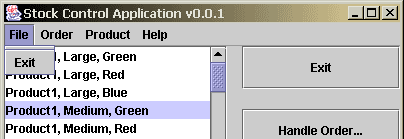
Figure 4-2. File-menu.
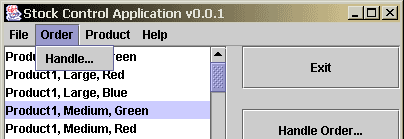
Figure 4-3. Order-menu.
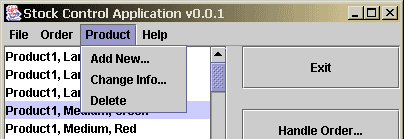
Figure 4-4. Product-menu.
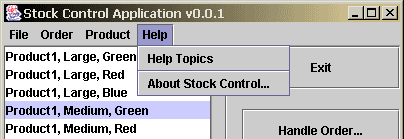
Figure 4-5. Help-menu.
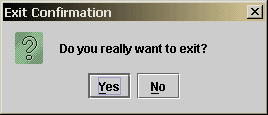
Figure 4-6. Exit confirmation.
Other parts
Part 1 - The Main Window
Part 2 - Product Information and Event-Handling
Part 3. Window for Editing Product Information
Part 5. Feedback questionnaire (compulsory)