


 Contents Index

4.2.4.2 Views on folders
You are able to determine the way your folders are displayed to you:
- in the main menu bar choose View Columns to select what attributes are displayed in the columns;
- choose view Scale ... to scale BSCW's font size;
- choose View Sort by ... to sort the items in a folder;
- View Shortcuts in order to show or hide the instant access bar;
- choose View Description to display or hide informal item descriptions.
- choose View Foldout to display or hide subfolders etc.
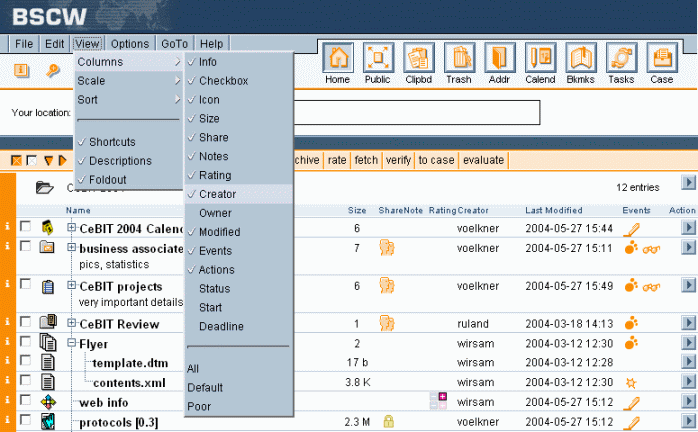
Figure 4.2-1: Adjusting folder view
Contents Index
